A totally based cluster engine for ESP8266 microcontrollers with automatic node discovery, health monitoring, and over-the-air updates. Built for real-time control of distributed embedded systems.
Core
Cluster engine firmware for ESP8266 microcontrollers
Auto Discovery
UDP-based node discovery with automatic cluster membership on port 4210
Health Monitoring
Real-time node status tracking with resource monitoring and automatic failover
Event System
Local and cluster-wide event publishing/subscription with WebSocket and UDP streaming API
OTA Updates
Seamless firmware updates across the cluster via HTTP API
Service Registry
Dynamic API endpoint discovery and registration for custom services
Task Scheduler
Cooperative multitasking system for background operations
Quick Start
#include <Arduino.h>
#include "spore/Spore.h"
#include "spore/Service.h"
#include "spore/core/ApiServer.h"
#include "spore/core/TaskManager.h"

class HelloService : public Service {
public:
    HelloService() {}

    const char* getName() const override { return "hello"; }

    void registerEndpoints(ApiServer& api) override {
        api.addEndpoint("/api/hello", HTTP_GET, [](AsyncWebServerRequest* req) {
            req->send(200, "application/json", "{\"message\":\"hello\"}");
        });
    }

    void registerTasks(TaskManager& taskManager) override {
        taskManager.registerTask("heartbeat", 1000, [this]() { this->heartbeat(); });
    }

private:
    void heartbeat() {
        // e.g., blink LED, publish telemetry, etc.
    }
};

Spore spore({
    {"app", "my_app"},
    {"role", "controller"}
});

void setup() {
    spore.setup();
    spore.addService(new HelloService());
    spore.begin();
}

void loop() {
    spore.loop();
}
Technical Specifications
- Supported Hardware: ESP-01/ESP-01S (1MB Flash), Wemos D1 (4MB Flash)
- Discovery Protocol: UDP broadcast on port 4210
- API Interface: RESTful HTTP + WebSocket streaming
- Dependencies: ESPAsyncWebServer, ArduinoJson
- Framework: Arduino with PlatformIO build system
UI
Zero-configuration web interface for cluster monitoring and management
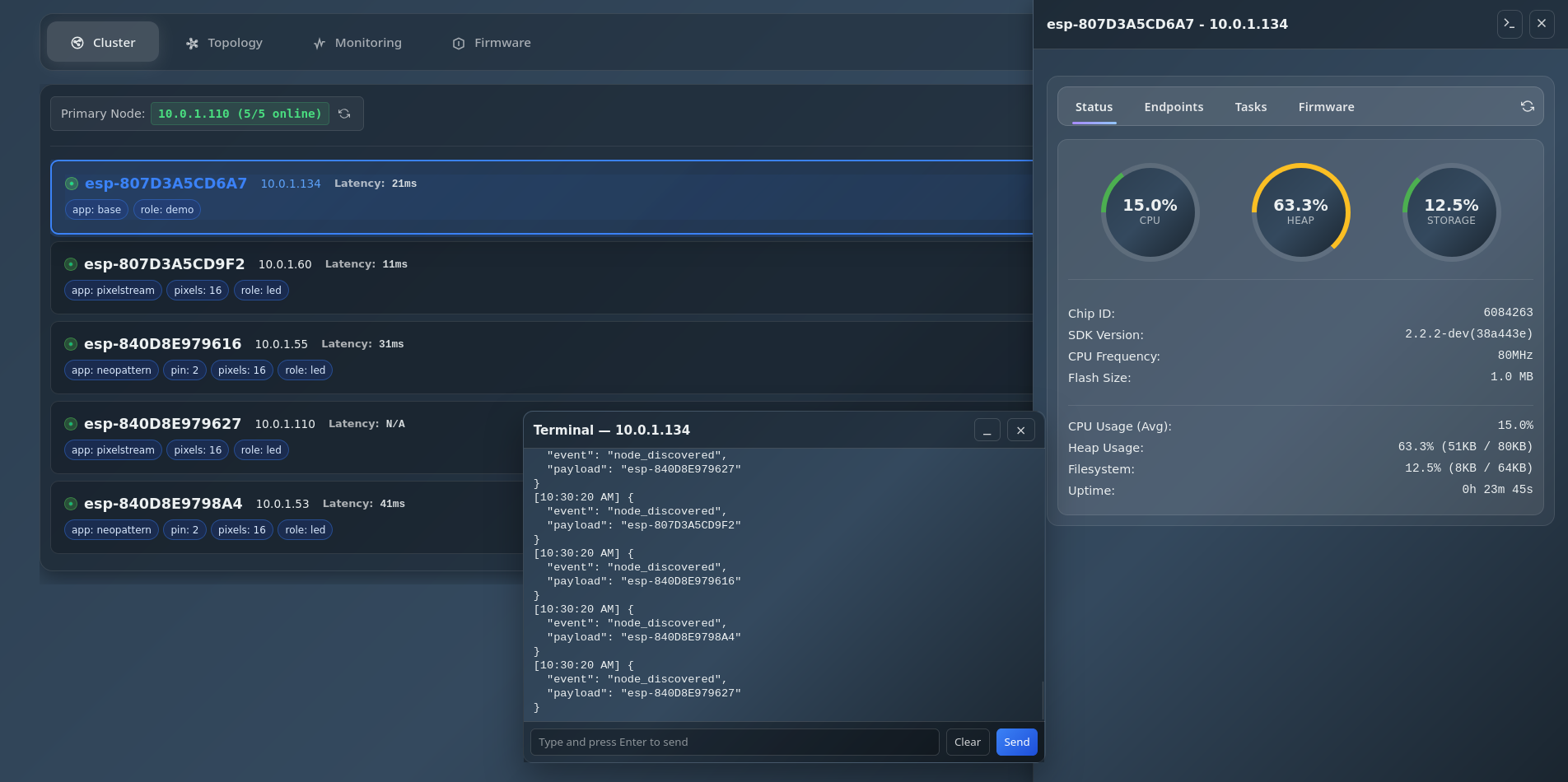
Real-time cluster member overview with auto-discovery
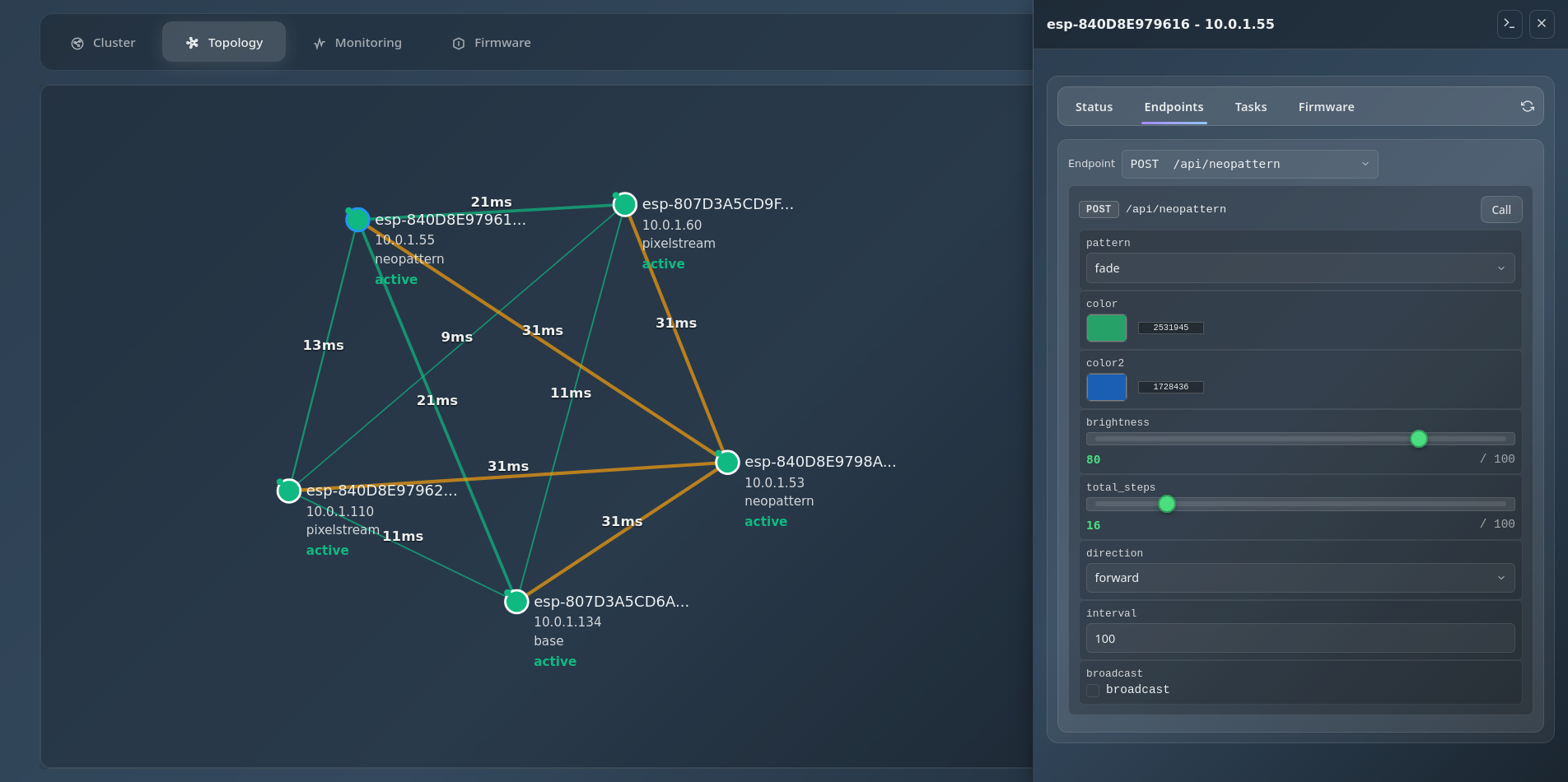
Network topology visualization with node relationships
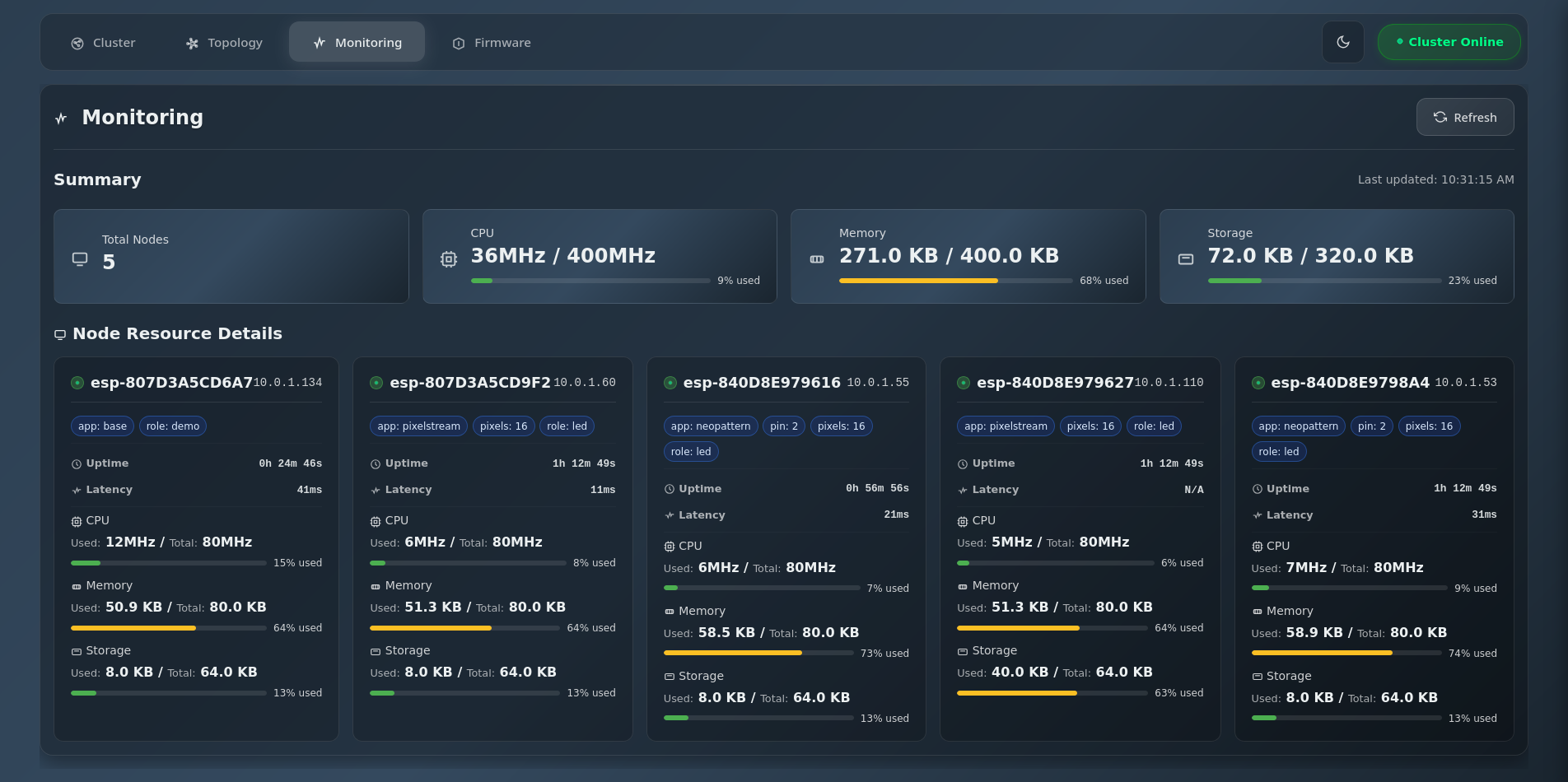
Detailed system metrics and task monitoring
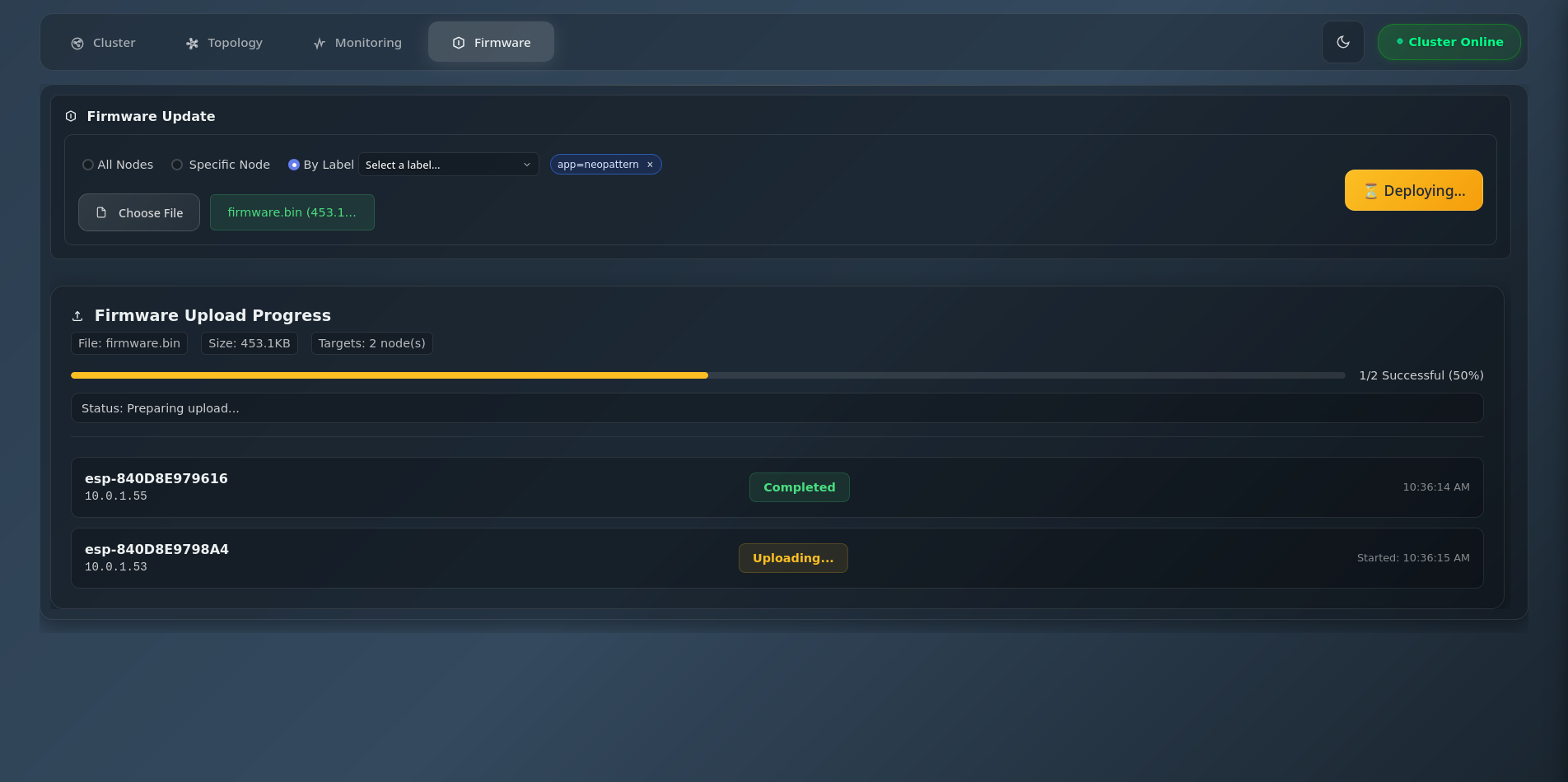
Clusterwide over-the-air firmware updates
Features
- Cluster monitoring with real-time status updates
- Node details including running tasks and available endpoints
- Direct HTTP API access to all nodes in the cluster
- Over-the-air firmware updates for entire cluster
- WebSocket terminal for direct node interaction
- UDP auto-discovery eliminates hardcoded IP addresses
- Responsive design for all devices
Technology Stack
- Backend: Express.js, Node.js
- Frontend: Vanilla JavaScript, CSS3, HTML5
- Architecture: Custom component-based framework
Apps
Application suite built on SPORE
Explore applications that extend SPORE.
- LEDLab — Real-time LED matrix animation streaming and visual preset editor
LEDLab
Real-time LED matrix animation streaming and visual preset editor
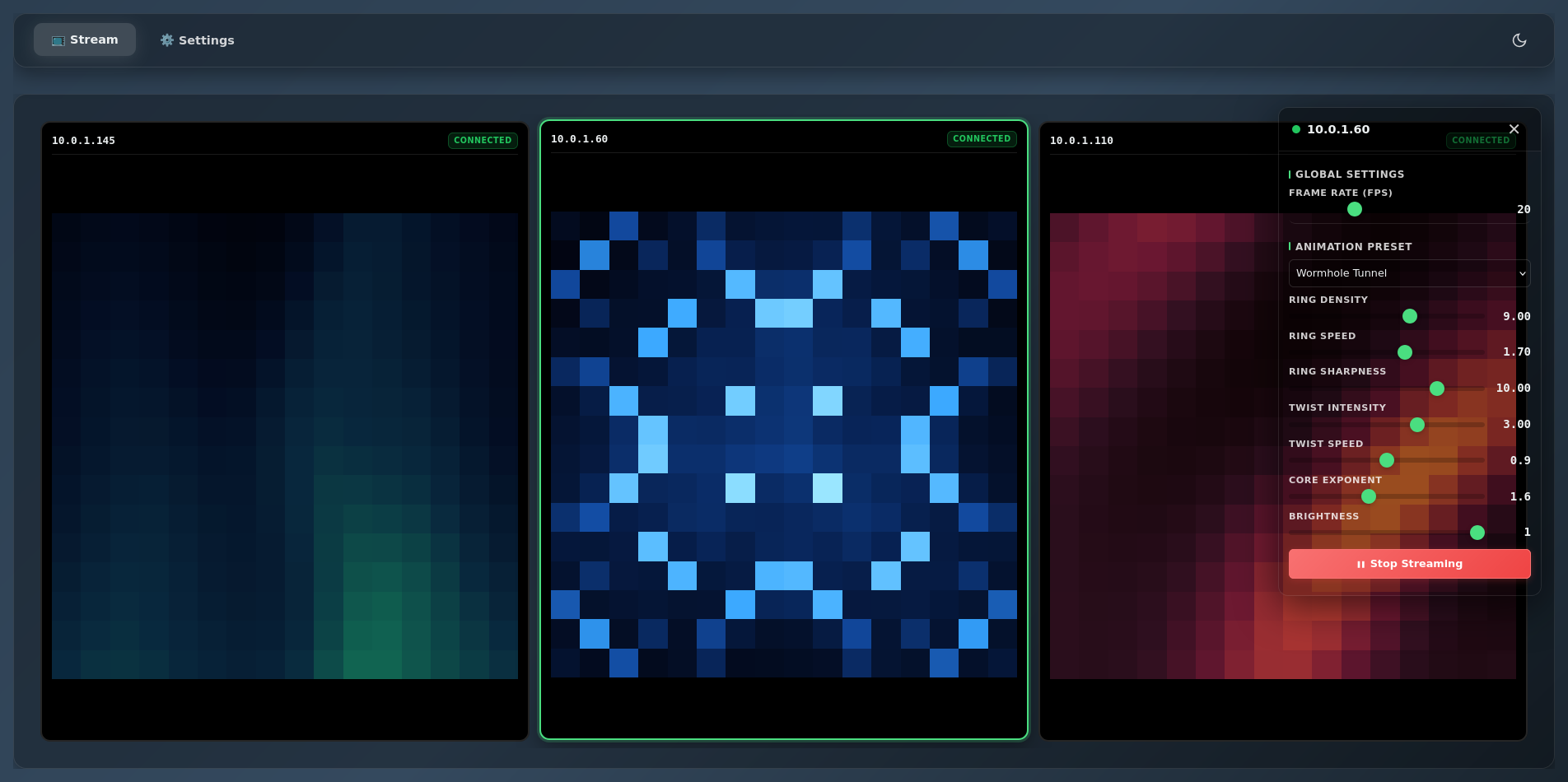
Multi-node management with live canvas preview
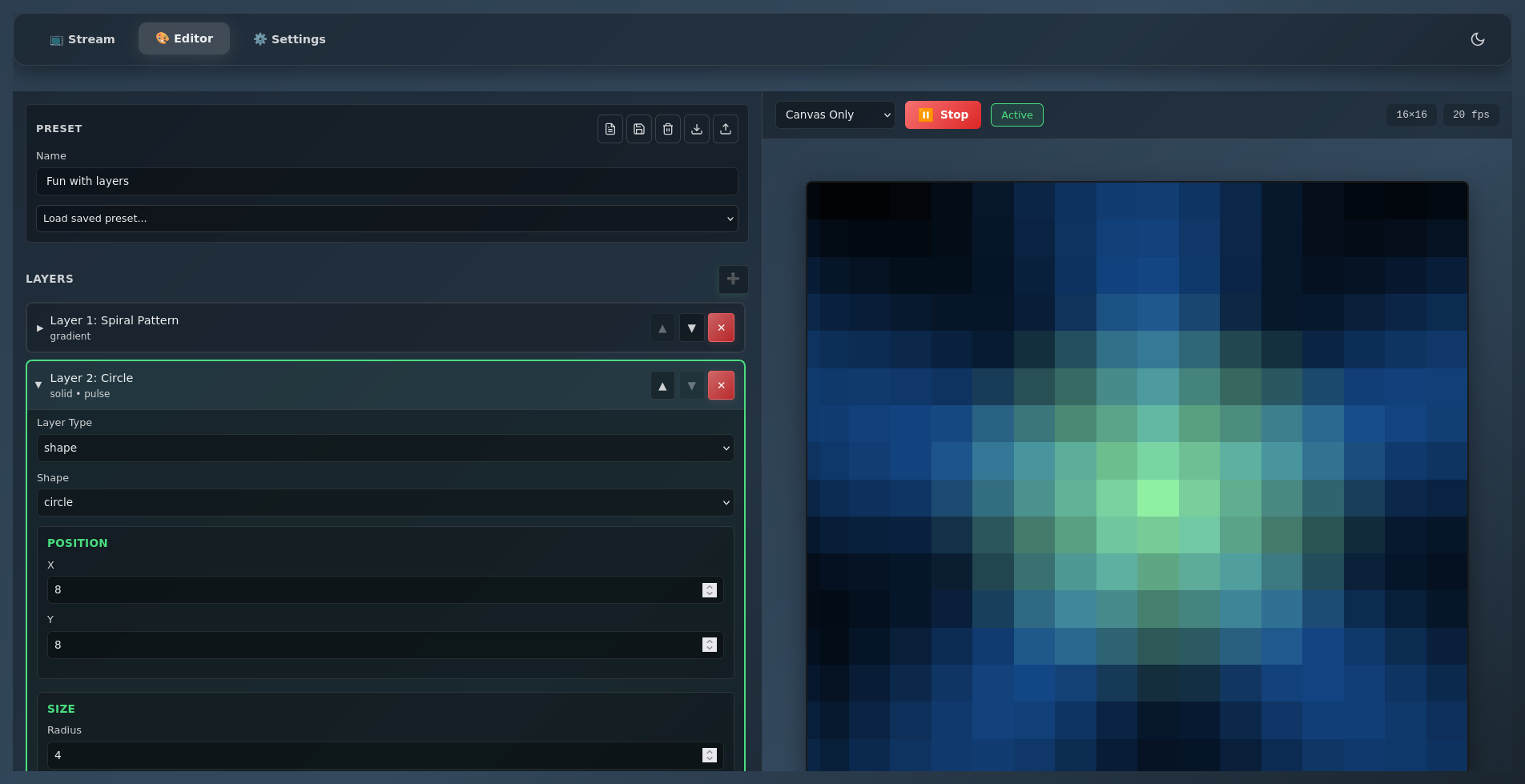
Visual preset editor with building blocks
Firmware Requirements
LEDLab requires SPORE nodes running the PixelStreamController firmware, which handles UDP-based RGB data streaming to NeoPixel strips and matrices. The firmware subscribes to udp/raw cluster events and converts incoming hex-encoded pixel data into real-time LED animations.
Key firmware features include support for both strip and matrix configurations, serpentine (zig-zag) wiring patterns, and configurable pixel counts, brightness, and matrix dimensions. The controller automatically remaps pixel coordinates for proper matrix display.
See PixelStream documentation for more information.
Capabilities
- Multi-node management with individual control
- Real-time canvas preview for each node
- 10+ built-in animation presets (rainbow, lava lamp, aurora, etc.)
- Visual preset editor with reusable building blocks
- Live parameter control with instant feedback
- Import/export custom presets as JSON
- Auto-discovery of SPORE nodes on network
- Configurable FPS (1-60) and matrix dimensions
- Requires SPORE nodes running PixelStreamController
Building Blocks
Documentation
SPORE Core
- Architecture Guide - System design and implementation
- API Reference - Complete REST API documentation
- Development Guide - Build, deployment, configuration
- Task Management - Background task system
- Cluster Broadcast - Event distribution protocol
- Streaming API - WebSocket integration
SPORE UI
- Getting Started - Installation and setup
- UDP Auto Discovery - Network discovery protocol
- API Spec - Backend API reference (OpenAPI)
- Component Framework - Custom UI architecture
SPORE LEDLab
- Quick Start - Installation and usage
- Preset Editor - Visual animation builder
- Custom Presets - JSON format and examples
- Building Blocks - Reusable components
- Multi-Node Management - Cluster control
- PixelStream Controller - Required SPORE node firmware
Getting Started
SPORE Core
# Build and flash firmware
./ctl.sh build target esp01
./ctl.sh flash target esp01
SPORE UI
# Install and start
npm install
npm start

# Open browser
http://localhost:3001
SPORE LEDLab
# Install and start
npm install
npm start

# Open browser
http://localhost:3000